Global regenerations are a bad habit dressed up as iteration. You needed a bird on one branch, a badge on a sleeve, or a sticker on a bottle — and the whole scene reshuffled. I used the banana ai image generator path on NovaImage AI to practice a tighter loop: mark the spot, write a short local instruction, keep everything else still.
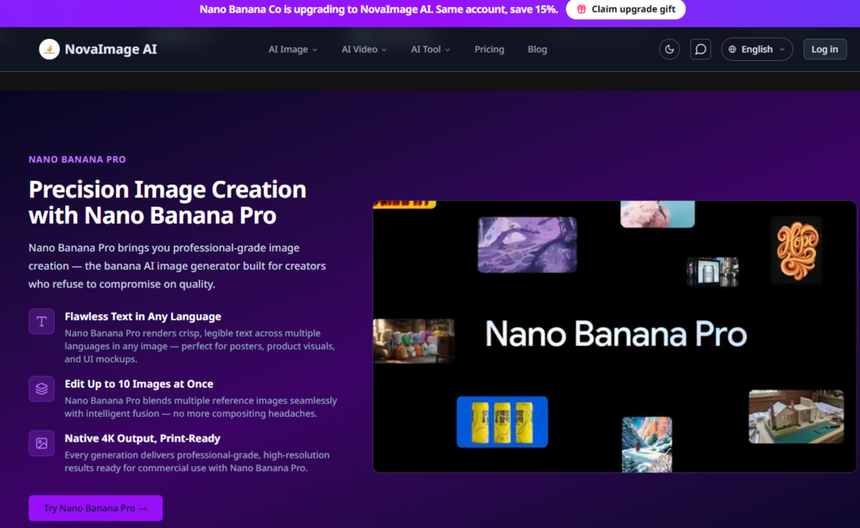
NovaImage AI markets conversational editing across Nano Banana models. The practical win for visual communicators is not another style preset. It is a way to change one region without gambling an approved frame that already survived lighting review, crop review, and brand review.
The Goal Is One Local Change Not A New Scene
Picture a product hero that already passed brand review. Lighting is right. Label is clean. You only need a small prop in the empty corner. If you re-prompt the whole canvas, you may get a prettier scene and a broken logo in the same pass. That trade is expensive because the “prettier” parts are not what stakeholders asked for.
The buyer problem is spatial control. Text-only prompts force you to say things like “third window from the left on the second floor.” That language is fragile in busy commercial photos. A mark on the canvas is clearer. Image Marking on Nano Banana Pro exists for that exact failure mode: point first, then describe. Without a mark, conversational edits can still work, but location-heavy requests stay riskier.
What You Need Before You Click Edit
Start with an image you already like, not a soft draft. Soft inputs stay soft. Keep the brand rules short: which colors must not drift, which text must stay legible, which faces must remain the same people.
- Source file already approved for lighting and crop
- One change request written in plain language
- Access to Nano Banana Pro if you need Image Marking
- A credit cushion so a failed pass does not panic the schedule
NovaImage AI restores credits when a generation fails or returns a duplicate under the no-charge rule. That policy does not replace a clear brief. It only removes the fear of testing a tighter prompt. New-user free credits also make it cheaper to rehearse the mark-and-edit loop before a client live session.
If your team lives in weekly campaign cycles, write the local-edit rule into the intake form: “one object, one location, no style transfer in the same pass.” That one line prevents most global chaos before anyone opens the editor.
Also decide who owns the approved still. If three people can re-upload “almost final” versions, the mark workflow collapses into file chaos. One owner, one source file, one change request. That discipline matters more than any model switch.
Four Steps From Mark To Download
These steps follow the published Image Marking workflow and the everyday Nano Banana edit loop on the site. Generation on the model pages is listed around 1–3 minutes, so plan review time accordingly instead of refreshing every few seconds.
Step One Upload The Approved Still
Open Image to Image, upload the base frame, and resist the urge to rewrite the whole composition. If the still is soft, fix the still first. The edit inherits whatever blur or noise you feed it. Keep the prompt box ready, but do not dump a paragraph of atmosphere yet.
Keep The Brief To One Object
Write the change as one noun plus one placement. “Add a realistic bird on the marked branch” beats a paragraph that also asks for a new sky, a new color grade, and a new camera angle. Extra adjectives are how local edits become full regenerations.
Step Two Mark The Exact Spot
Click Edit on the thumbnail to open the Image Marking panel. Navigate to the target zone. Write a label such as “bird” or draw a simple circle. Click Done. Clear positioning matters more than pretty handwriting. The marking guide itself says artistic precision in the doodle is less important than where the mark sits.
This dual input — visual cue plus short text — tells the model where to spend attention. In busy frames with many objects, that clarity cuts random edits elsewhere. Absolute positioning replaces awkward spatial prose. Minimized randomness protects approved areas. Control over complexity helps when the photo already contains shelves, labels, and people competing for attention.
Step Three Prompt Against The Mark
Return to the generator and reference the mark explicitly. A practical pattern looks like this: add the object at the marked location, remove the mark text from the final output, and keep lighting and composition unchanged. Then generate.
On the same desk you can also stay in conversational mode without marks: change background, swap an outfit, or adjust lighting one element at a time. Marks help when location is the hard part. Conversation helps when the change is sequential and you already trust the frame. If you only need a softer local turn, Nano banana conversational edits may be enough. Reach for marks when absolute positioning is the real requirement.
Step Four Check The Still Then Export
Review the result against three pass/fail checks before you download PNG or WebP.
| Check | Pass | Fail |
| Location | Object sits on the marked spot | Object floats or jumps panels |
| Stability | Logo, face, and crop stay intact | Approved areas reshuffle |
| Cleanup | Mark labels are gone | Word “bird” remains in frame |
If location fails, remake the mark instead of adding five new adjectives. If stability fails, shorten the prompt and forbid unrelated changes. If cleanup fails, restate that marked text must not appear in the final image. Only after those three checks should you upscale, share, or hand the still to a video tool.
Common Mistakes That Reintroduce Global Chaos
Teams usually break the loop in predictable ways.
- Asking for a local prop and a full style transfer in one prompt
- Marking vaguely across half the canvas so the model has no anchor
- Starting from a soft phone crop and blaming the model for mushy edges
- Skipping the “remove mark text” instruction and shipping a labeled draft
- Chasing a fourth variation before checking whether the mark itself was wrong
Image Marking is listed as a Pro-side precision tool on NovaImage AI, alongside prompt helpers, upscaler, and text remover on higher plans. Yearly Pro sits at $49.9/month billed yearly for 3099 credits if your desk needs those tools often. For lighter exploration, Nano Banana 2 still handles conversational one-element edits at a lower credit start. Match the tool to the failure mode, not to the loudest feature name.
Keep The Approved Frame And Change One Corner
This workflow fits editors, art directors, and product marketers who already have a frame worth protecting. It is a poor fit if you are still hunting the first composition and need broad exploration more than surgical control.
If your current habit is “regenerate until luck arrives,” flip the order. Lock the still. Mark the corner. Write one local instruction. NovaImage AI is a restrained choice when you want that discipline without rebuilding the scene in a separate editor.