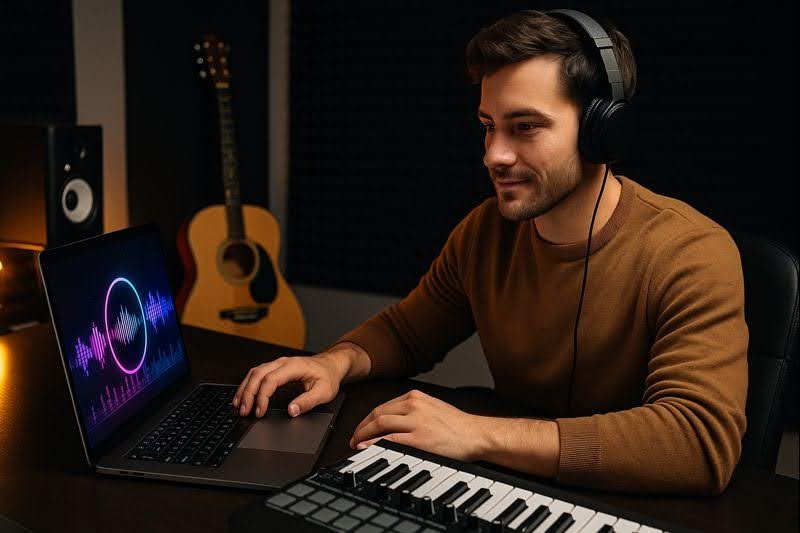
AI is changing how musicians present their work. Visualizers have moved from simple waveforms to dynamic, scene-driven animations that turn audio into an experience. They help artists stand out, hold attention, and build deeper connections with listeners. Today’s tools make that creativity easier than ever, even for musicians with no design background.
Here’s a look at the best AI-driven music visualizers available now, starting with the platform that leads the field.
1. Videobolt
Videobolt is the strongest choice for artists who need style, consistency, and control. It tops the list because it blends speed with high-end visuals.
Its templates come from real motion designers, not generic generators, and the AI syncs visuals tightly with the track’s mood and tempo.
Musicians lean toward Videobolt because it handles precise audio reaction, offers hundreds of polished templates, supports deep customization, and exports reliably even with heavy graphics. It scales easily from lyric videos to full-length visualizer loops and teaser clips.
If you want the best music visualizer with professional output and a wide creative range, Videobolt is the clear choice.
2. Renderforest
Renderforest is known for speed. You upload your track, pick a style, make a few tweaks, and export. The results are clean, consistent, and ready for social platforms.
It’s ideal for musicians who want visualizers that look polished without spending too much time editing. The platform also includes branding tools, which helps artists keep their visual identity consistent across releases.
3. Magic Music Visuals
Magic Music Visuals is built for people who like to experiment. It allows fully custom visual systems through nodes, real-time audio reaction, and modular animation.
It’s more technical than Videobolt or Renderforest, but that’s the point. Live performers, electronic artists, and multimedia creators use it to build custom stage visuals or unique motion styles.
If you want something you can shape from the ground up, this is the tool.
4. VSDC
VSDC is the easiest tool on this list. It’s simple. It’s free. And it creates clean waveforms and spectrums that work for demos, YouTube uploads, or quick promo clips.
It doesn’t reach cinematic quality, but it’s dependable for musicians who want something straightforward without the cost or learning curve of more advanced tools.
5. After Effects + Plugins
Adobe After Effects remains the top choice for full control. With plugins like Trapcode or Audio Spectrum, creators can craft detailed, high-end visuals.
The downside: time. You need editing experience, patience, and a willingness to build everything manually.
For major releases, it delivers unmatched customization. For fast turnarounds, it’s not the most practical option.
Why AI Visualizers Matter More Than Ever
Visual content drives engagement everywhere. Music platforms, social feeds, and streaming algorithms all prioritize movement, color, and rhythm.
A report from Wyzowl found that 91% of marketers use video to increase engagement. Music follows the same logic. Visualizers hold attention, boost retention, and make songs more shareable.
They also save massive amounts of time. Musicians no longer need complex software or full production teams. A complete visualizer can be made in minutes.

Strengthen Your Release With Supporting Creative Assets
Strong visuals work even better when they’re part of a larger creative package. Many musicians now pair their visualizers with matching artwork, social banners, fan merch, or behind-the-scenes images.
Some artists even use customized apparel to reinforce their brand during releases. Shirts, hoodies, and promotional pieces help fans connect with the identity behind the music. When visuals, apparel, and promotional graphics match, everything feels intentional and more memorable.
A consistent aesthetic builds recognition and helps your releases stand out in crowded feeds.
Choosing the Right Visualizer for Your Workflow
No single tool fits every artist. The best choice depends on your goals:
- Pick Videobolt for the strongest all-around visual quality.
- Pick Renderforest for speed and simplicity.
- Pick Magic Music Visuals for technical depth.
- Pick VSDC for easy, budget-friendly outputs.
- Pick After Effects for full creative control.
Also consider your release strategy. Vertical formats matter for TikTok and Reels. Wide formats matter for YouTube and Vimeo. Looping visuals work best for Spotify Canvas.
Match your tool to the way you promote your music.
Final Thoughts
AI visualizers are now essential in modern music promotion. They give artists a way to amplify their sound, create stronger engagement, and build a visual identity without heavy production costs. Videobolt leads the field because it combines creativity, speed, precision, and reliability in a way no other platform does.
The tools keep getting smarter. The visuals keep getting better. And musicians now have more control over how their music looks as well as how it sounds.